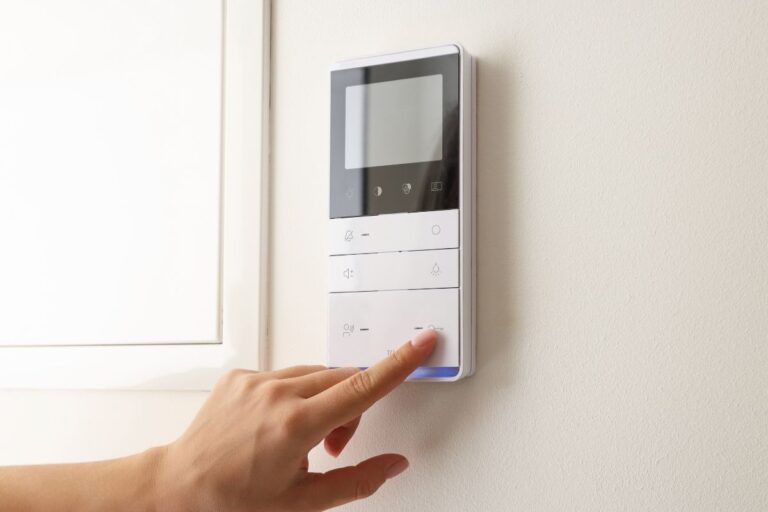

If you’ve found yourself asking, “Why Does My Smart Thermostat Have a Blank Screen?”, we can help. Smart thermostats are incredible tools for boosting energy efficiency, improving comfort, and giving you more control over your HVAC system, but when the thermostat’s display suddenly goes dark, it can feel like the whole system has shut down. A blank thermostat screen can happen for several possible causes, ranging from simple battery issues to deeper HVAC issues that need professional care. Below, we’ll break down the most common reasons, how to troubleshoot problems like wiring issues, and when to call an HVAC specialist to get your home’s comfort back on track.
Possible Reasons Your Thermostat Might Have a Blank Screen
1. Check for Simple Power Problems
One of the most common reasons a smart thermostat goes dark is a loss of power. Before assuming a serious issue, start by checking the basics.
A Power Outage or Power Surge
If there was a power outage or power surge in your area, maybe even as recently as last night, your thermostat may still be rebooting. Newer thermostats and programmable thermostats often take a minute or two to fully restart.
Tripped Circuit Breaker
A tripped circuit breaker is another easy-to-miss cause. Locate your fuse box and look for anything switched to the middle or off position. If you recently ran your AC unit, air conditioner unit, heating system, or air handler, a heavy load may have flipped the breaker.
Blown Fuse or Safety Switch
Your HVAC equipment has a low-voltage fuse on the control board. A blown fuse or triggered safety switch can cut power not only to the unit but to the HVAC thermostat as well, resulting in a blank screen.
2. Battery Problems: Old, Low, or Internal Battery Issues
If your thermostat relies on batteries (even as backup), a blank thermostat screen could simply mean they’re drained.
Old Batteries or Low Battery Level
Replace the old batteries with new batteries and check whether the screen lights up again. Low battery level can also cause incorrect temperature readings or intermittent power loss.
Internal Battery Problems
Many newer thermostats, including certain Nest products, have a built-in internal battery. If the thermostat isn’t receiving consistent power from the C wire, the internal battery may drain and cause display failures.
3. C Wire Problems and Loose Wiring Issues
If your smart thermostat depends on a C wire for continuous power, any disruption can cause display issues.
Loose Connection or Faulty Wiring
A loose connection, faulty wiring, or damaged thermostat wiring at the RC terminal or other access points can cut off the thermostat’s power source. Even a small disruption in the HVAC control wiring can turn your thermostat off.
Incompatible System
If you recently installed a new thermostat or upgraded to a smart model while you previously had an old thermostat, wiring incompatibility could be the culprit. Some types of thermostat models need special adapters or a USB cable for power.
4. HVAC System Issues Affecting System Power
Sometimes the thermostat is just the messenger; it has gone blank because your whole system has shut down.
Dirty Air Filters
Believe it or not, dirty air filters can cause the cooling system or heating system to overheat, triggering a safety feature that cuts power to protect internal components. This can shut down power to the thermostat.
Short Cycling
If your system is short-cycling, struggling to maintain temperature, or shutting off too quickly, the thermostat may lose power intermittently. This is common when there’s an underlying problem like a failing capacitor, blocked coil, or airflow restriction.
High Temperature Shutoff
Some thermostats, especially premium models like a Trane thermostat, include high-temperature lockouts. A high temperature inside your indoor unit or near the exterior wall of your home can turn off the thermostat temporarily.
5. Software or Firmware Issues
Smart thermostats run like mini-computers, so glitches happen.
Software Update Failures
If your thermostat attempted a software update but lost power or Wi-Fi, the display may freeze. Lack of wi-fi signal can also interrupt critical system syncs.
Thermostat Display Freezing
Some smart models use touch screens or a touch bar, and freezing can lead to a completely dark thermostat display. Try restarting the thermostat, or refer to the troubleshoot Nest thermostat help codes for diagnose-and-fix steps.
6. Safety Features That Shut Down the Display
Smart thermostats are engineered to protect your HVAC equipment.
Safety Switch Activation
Float switches, pan switches, or furnace limit switches may trip to prevent water damage, overheating, or electrical issues. When this happens, the thermostat loses system power, and the screen goes blank.
New Heat Pump Installation
If you recently installed a new heat pump, the wiring or safety circuits may not be fully aligned with your old thermostat setup. This can trigger shutdowns until the wiring is corrected.
7. Physical or Internal Thermostat Damage
Your thermostat may look fine on the outside, but internally, something may be wrong.
Internal Components Failure
Motherboard failures, damaged internal sensors, and overheating can cause a blank screen.
Wiring Access Points Damaged
If the thermostat was bumped, pulled, or if the thermostat installation was rushed, the wiring can come loose behind the faceplate.
Dark Yellow Light Indicator
A dark yellow light on some thermostat models indicates low power or a charging problem coming from the power source or internal battery.
8. Steps to Troubleshoot (Before Calling for Professional Assistance)
Here’s your first step list to get started:
- Check breaker panel, fuses, and safety switches.
- Replace batteries or check the internal thermostat battery.
- Verify C wire and other wiring connections.
- Restart the thermostat using the app or device controls.
- Inspect dirty air filters and airflow.
- Confirm Wi-Fi connection and power level.
- Clean dust using a soft brush around the thermostat’s access points.
- Try powering the thermostat with a USB cable if supported.
If none of this works, the thermostat may be dealing with a serious issue that requires an HVAC service provider or experienced HVAC company to inspect the HVAC equipment, wiring, or underlying problem.
When to Call a Professional HVAC Specialist
If you’ve tried the above steps and your screen is still blank, it’s time for professional assistance. A licensed HVAC specialist can:
- Diagnose hidden wiring issues
- Test the system transformer
- Check for safety lockouts
- Inspect internal thermostat faults
- Evaluate the air handler, indoor unit, or AC unit
- Ensure compatibility with your system
When it comes to understanding Why Does My Smart Thermostat Have a Blank Screen, your answer could be something simple or something complicated. Smart thermostats are powerful tools for improving energy efficiency, but when the display goes dark, they also offer valuable clues that something needs attention.
If you’re unsure or the problem keeps returning, don’t hesitate to call Dolphin Cooling to inspect both your thermostat and your system as a whole. A fast diagnosis today prevents bigger (and more expensive) issues tomorrow.